
Adobe CID Builder
Use free Adobe CID and CCID builders to create Adobe Analytics campaign URLs. Build with cid, ccid, or the parameter your organization maps to Tracking Code.
Choose CID if your Adobe Analytics setup captures campaign tracking through a cid parameter.
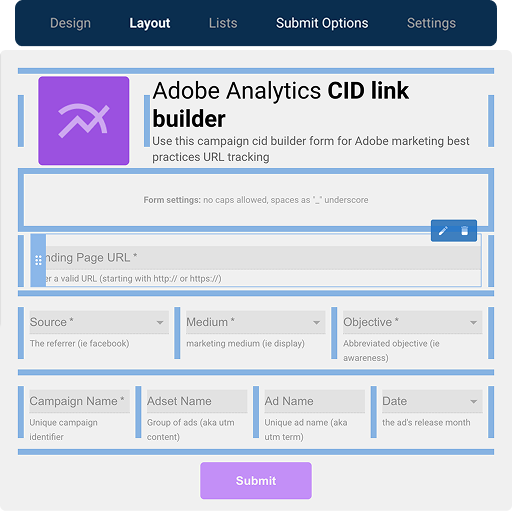
Open this Adobe CID builder in a new tabPersonalize this form to save future campaign URLs, QA links, and make ROI reporting more trustworthy.
Copy this formHow CID and CCID URLs are structured
CID and CCID use the same campaign field order. The main difference is the query parameter key your Adobe setup captures for Tracking Code or campaign reporting.
URL structure
CID tab
CCID tab
| Campaign Field | Required | Example | Description |
|---|---|---|---|
Landing page URL landing_url | Yes | https://example.com/page | The destination page users visit after clicking the campaign link. Keep this clean before adding the Adobe campaign parameter. |
Parameter key cid / ccid | Yes | cid | Choose the query parameter your Adobe setup captures. CID and CCID can use the same field structure; only the parameter key changes. |
Campaign Source source | Yes | Identifies where traffic came from. Consistent source values help keep Adobe campaign reports easier to group. | |
Campaign Medium medium | Yes | paid_social | Describes the channel or traffic type. Standardized medium values reduce reporting cleanup. |
Campaign Objective objective | Yes | awareness | Captures the campaign goal or funnel stage so reporting fields are easier to organize later. |
Campaign Name campaign_name | Yes | spring_launch | Names the campaign or promotion. This is the core identifier most teams use when comparing performance. |
Ad set or audience adset_name | No | enterprise | Adds audience, segment, or ad set context when the campaign needs another layer of detail. |
Ad or creative ad_name | No | hero_blue | Differentiates creative versions, ads, or messages within the same campaign. |
Launch date date | No | 202605 | Helps teams group campaign links by launch period when date is part of the Adobe tracking standard. |
Want to see how this CID builder becomes a team workflow?
Watch how an Adobe CID builder template can become a governed campaign URL workflow with approved values, dependencies, SmartLists, bulk URL creation, and a saved submission record.
Related Resources
Need this for your team?
Free Adobe builders are a great start, but they risk not matching your team’s campaign standards. Campaign URL Studio turns them into a team-owned builder so your team can launch with confidence, keep a clean URL history, and trust campaign data. Customize with URL Studio
- Adobe Analytics solution See how teams keep Adobe campaign tracking cleaner before values reach reporting.
- Complete Guide to Adobe Analytics UTM Parameters Go deeper on Tracking Code, Classification Sets, eVars, and inherited Adobe setups.
- UTM, CID, Tracking Code, and s.campaign explained Use the short translation layer before changing how Adobe captures campaign values.